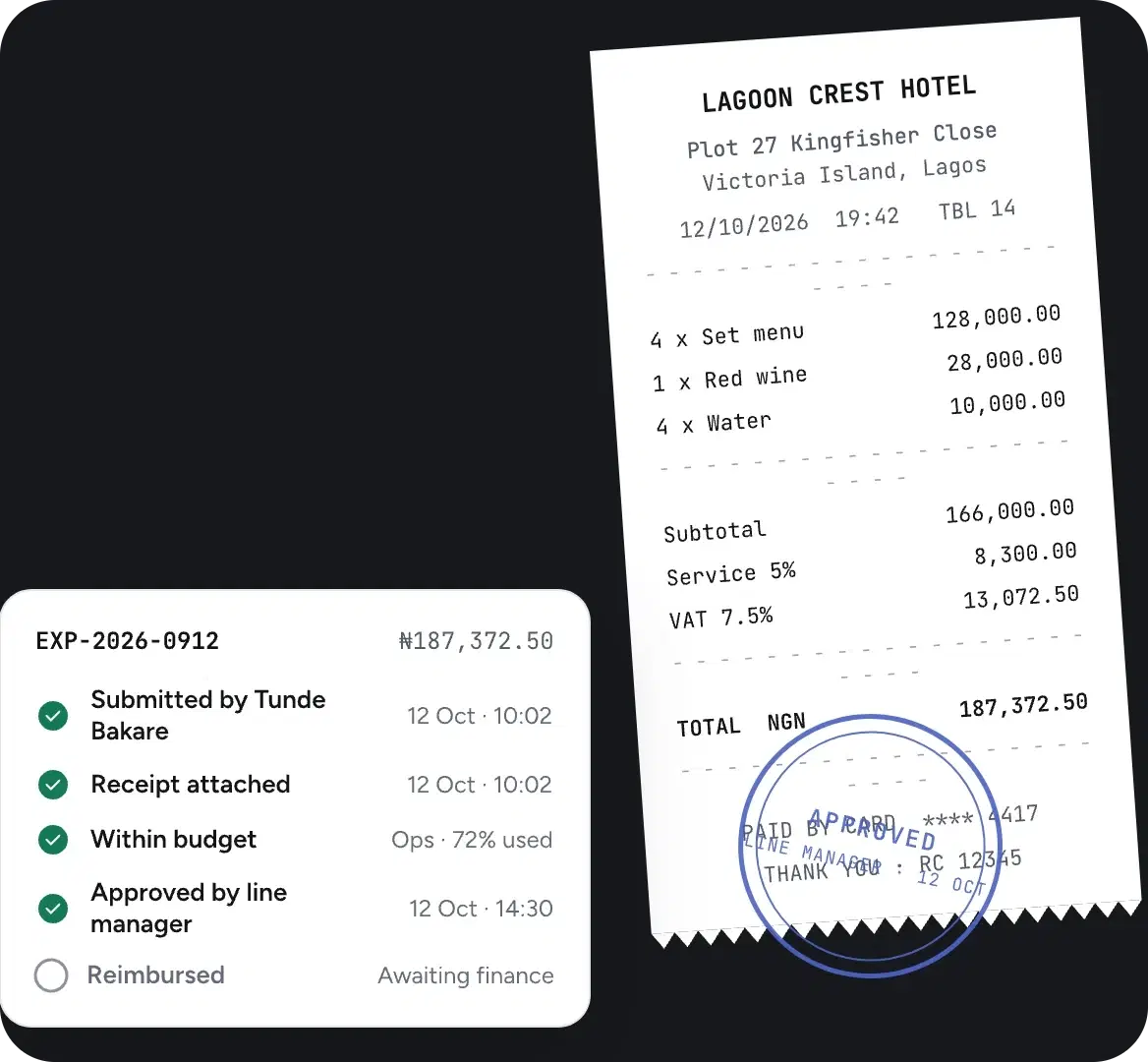
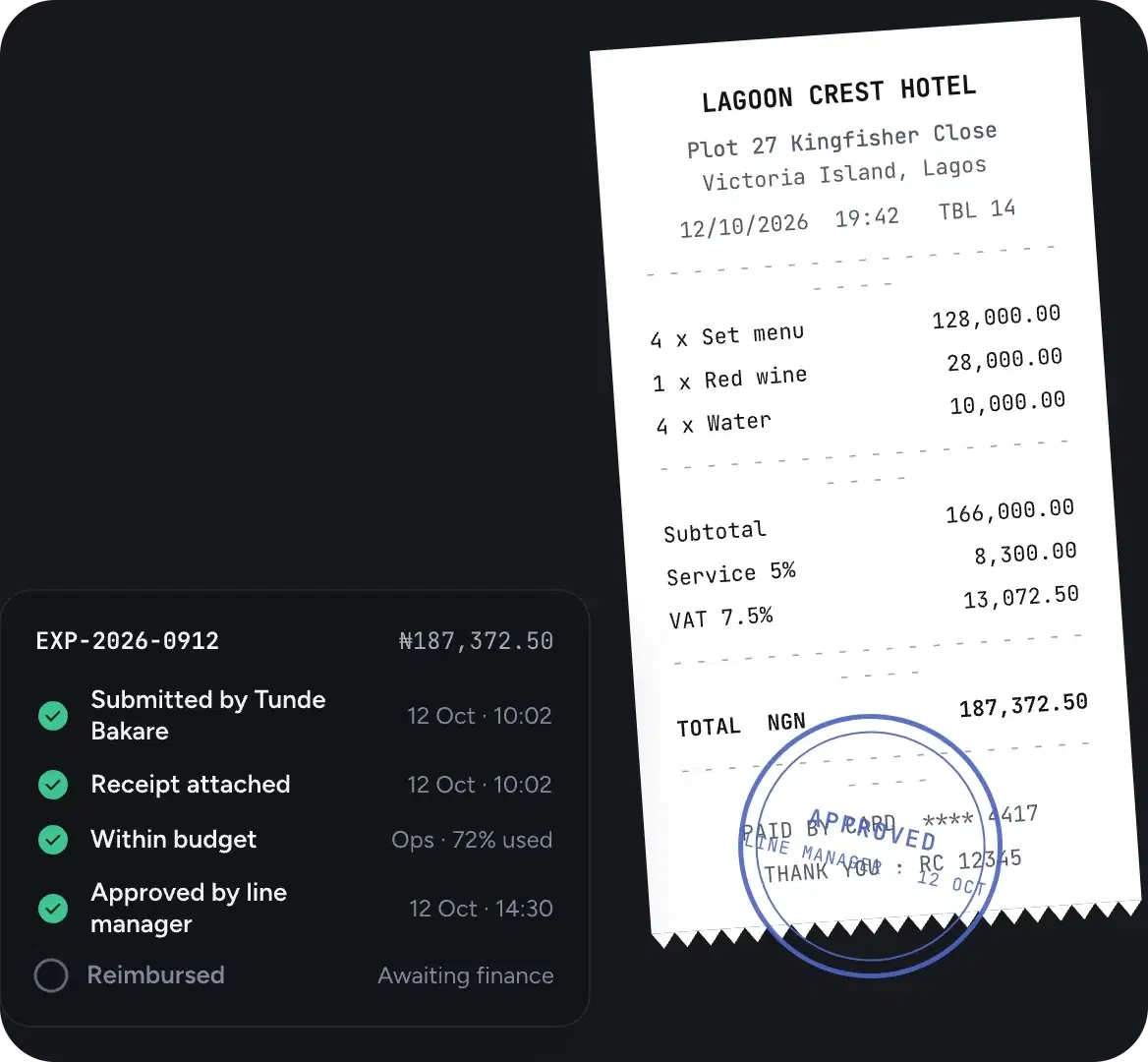
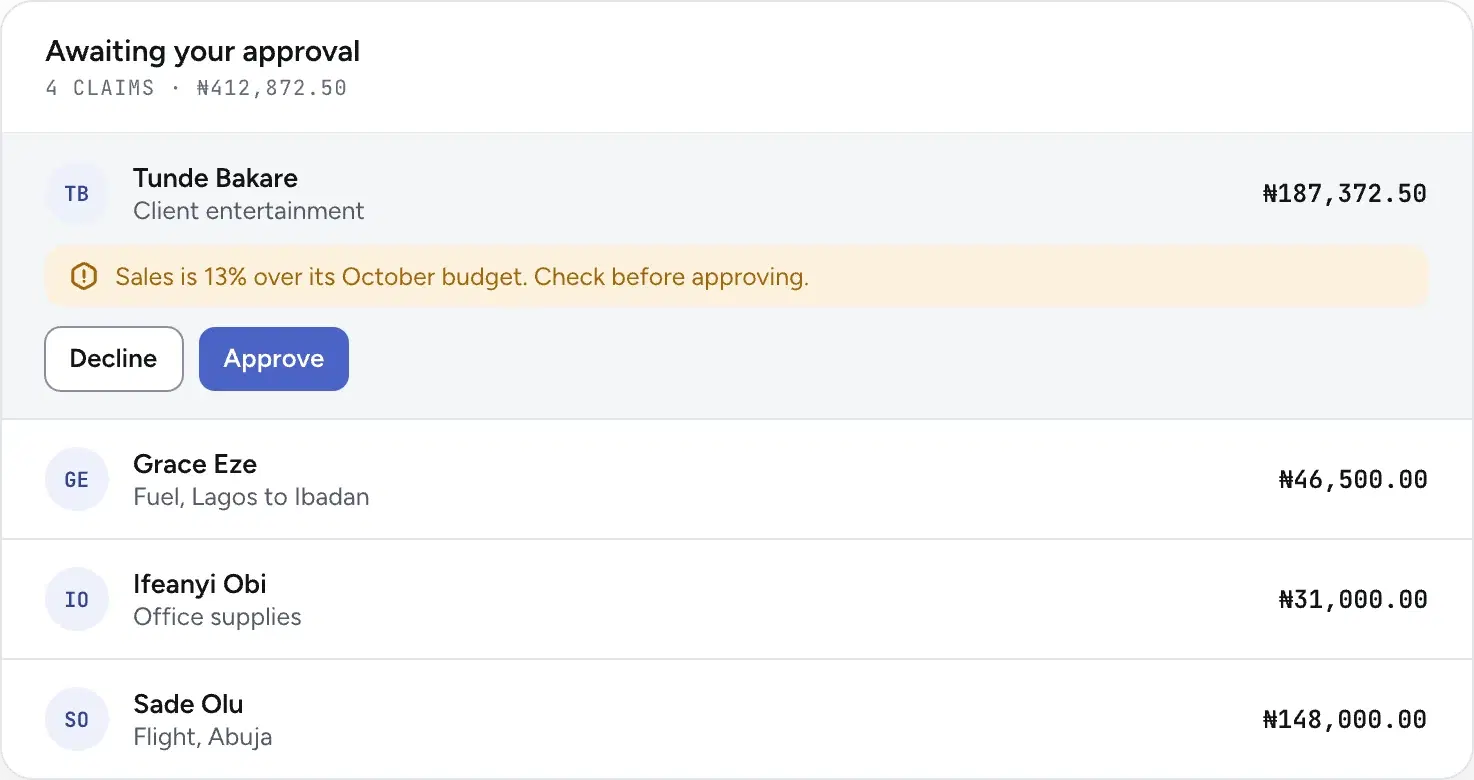
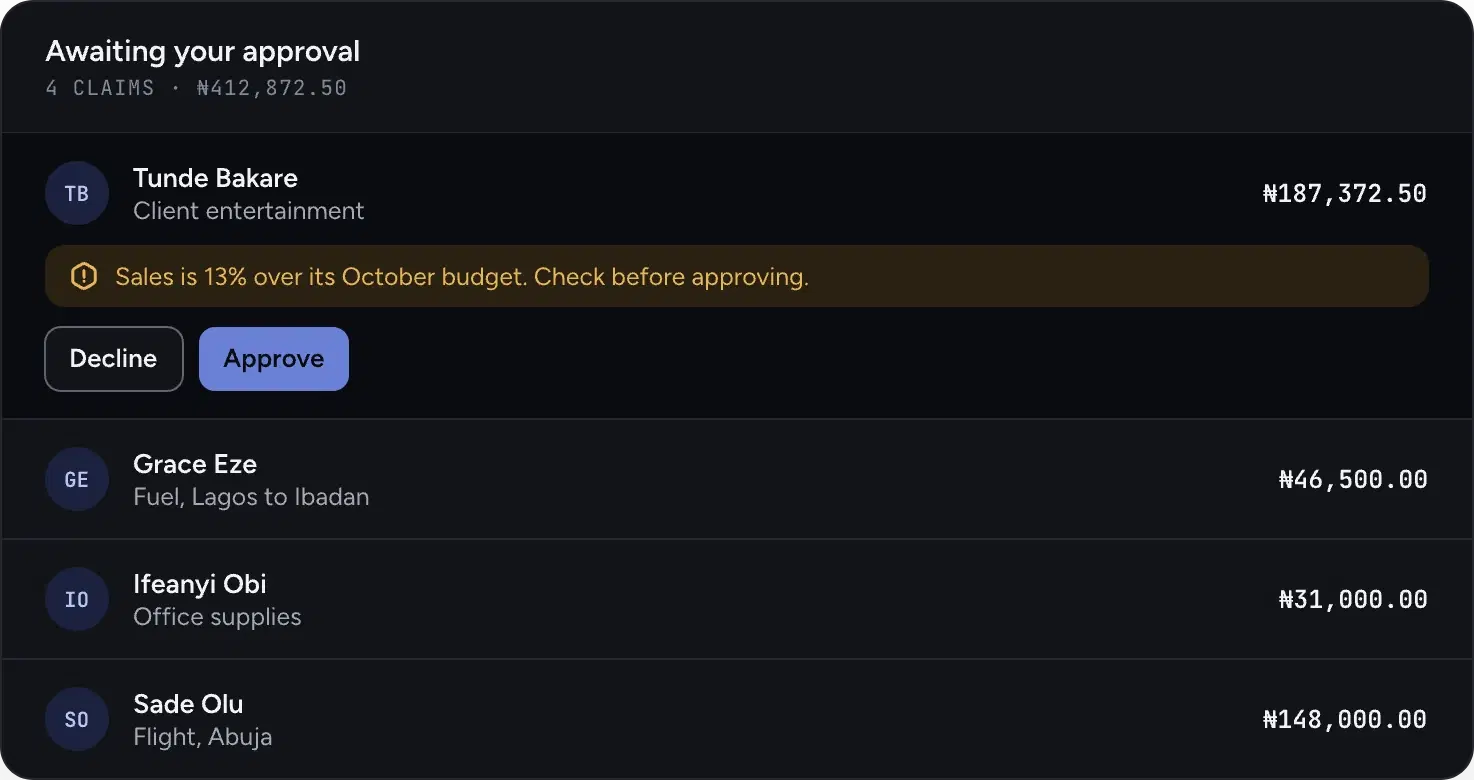
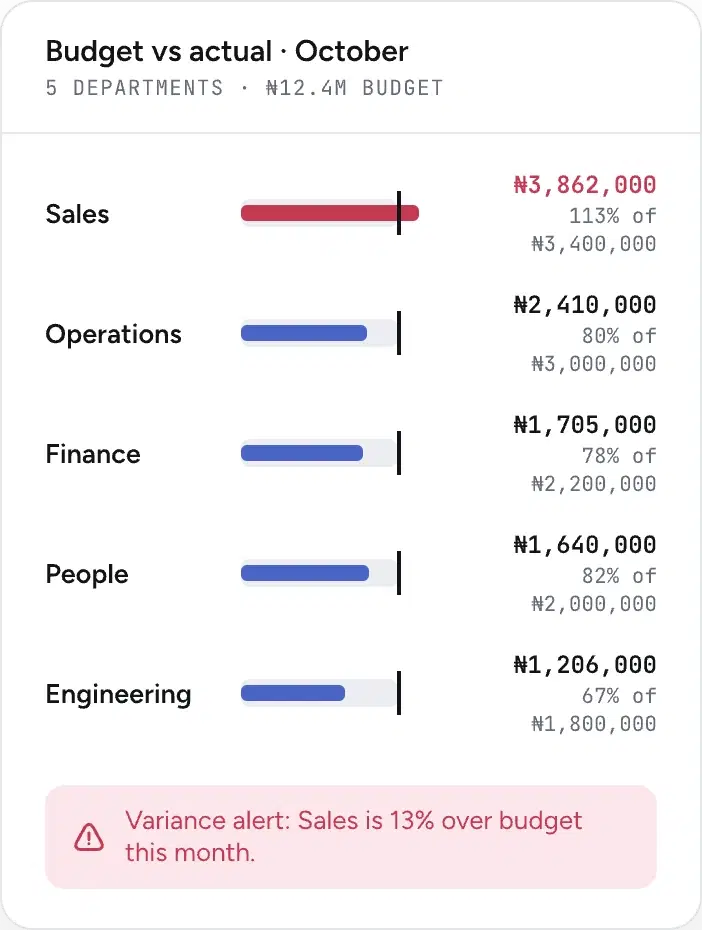
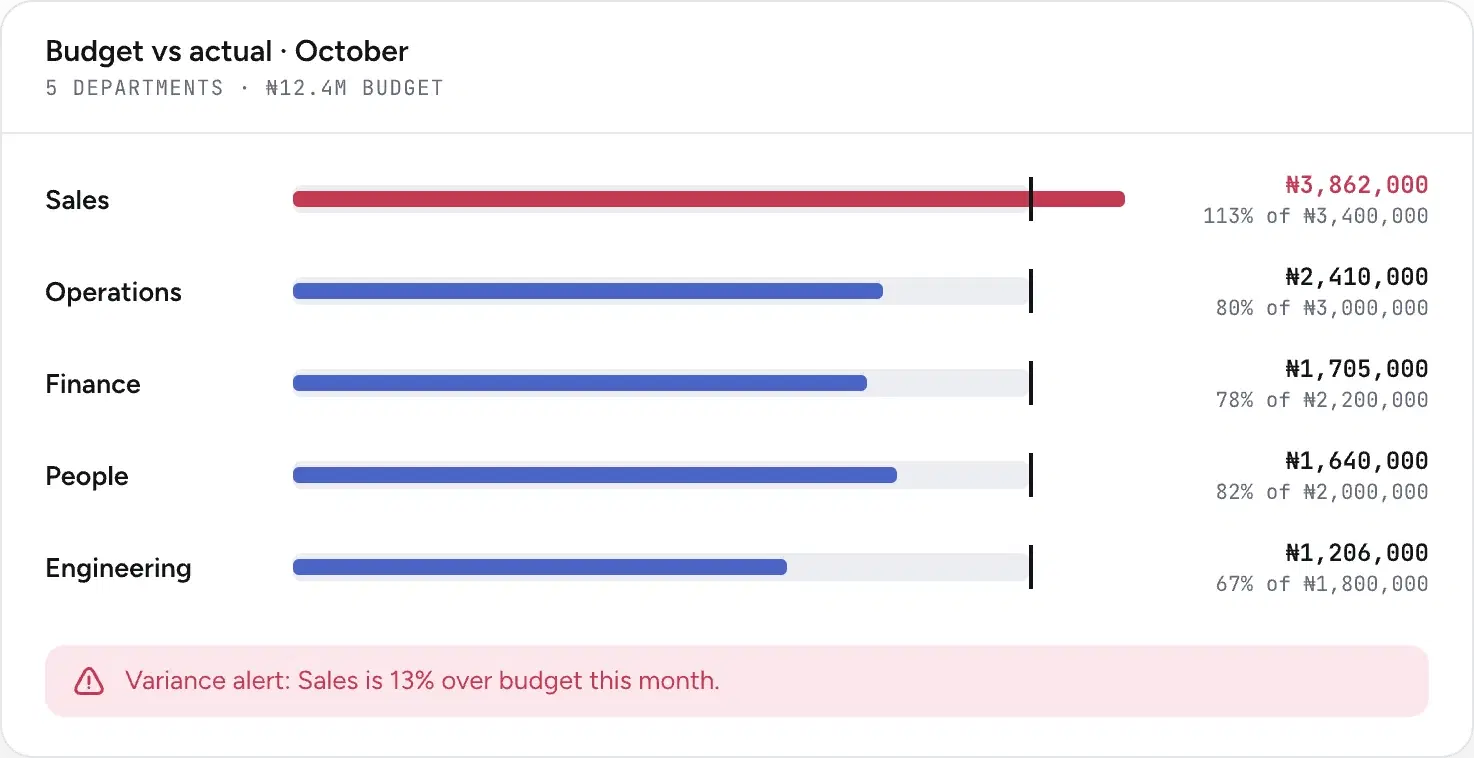
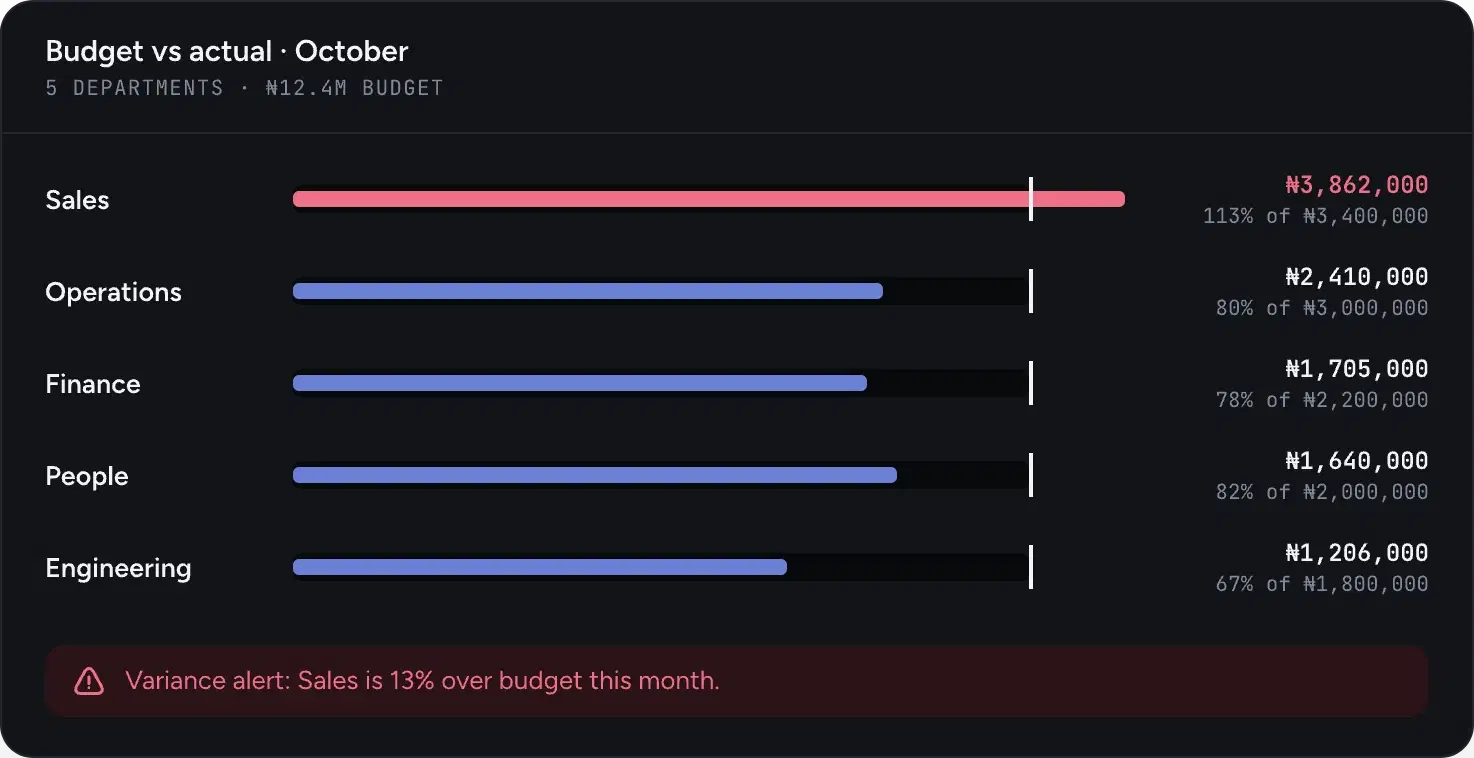
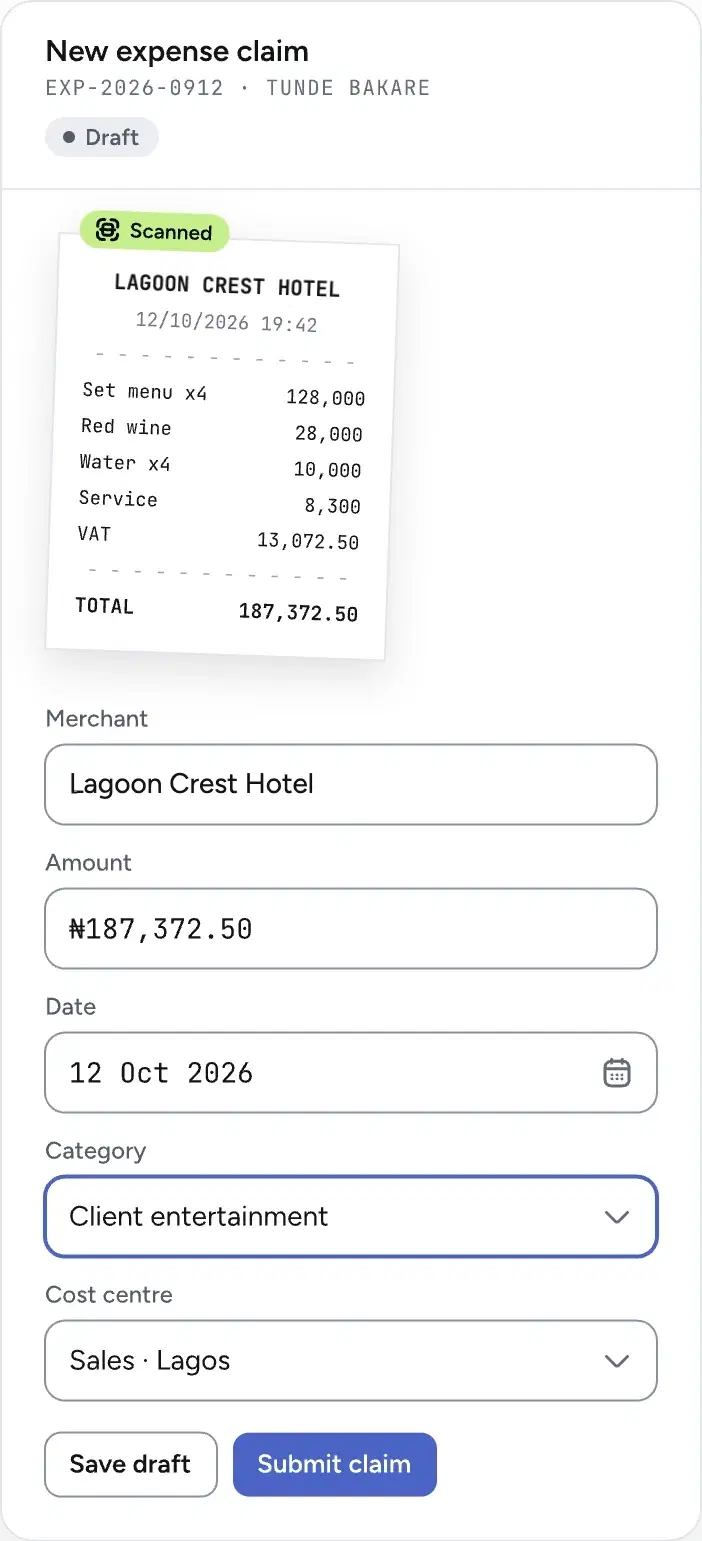
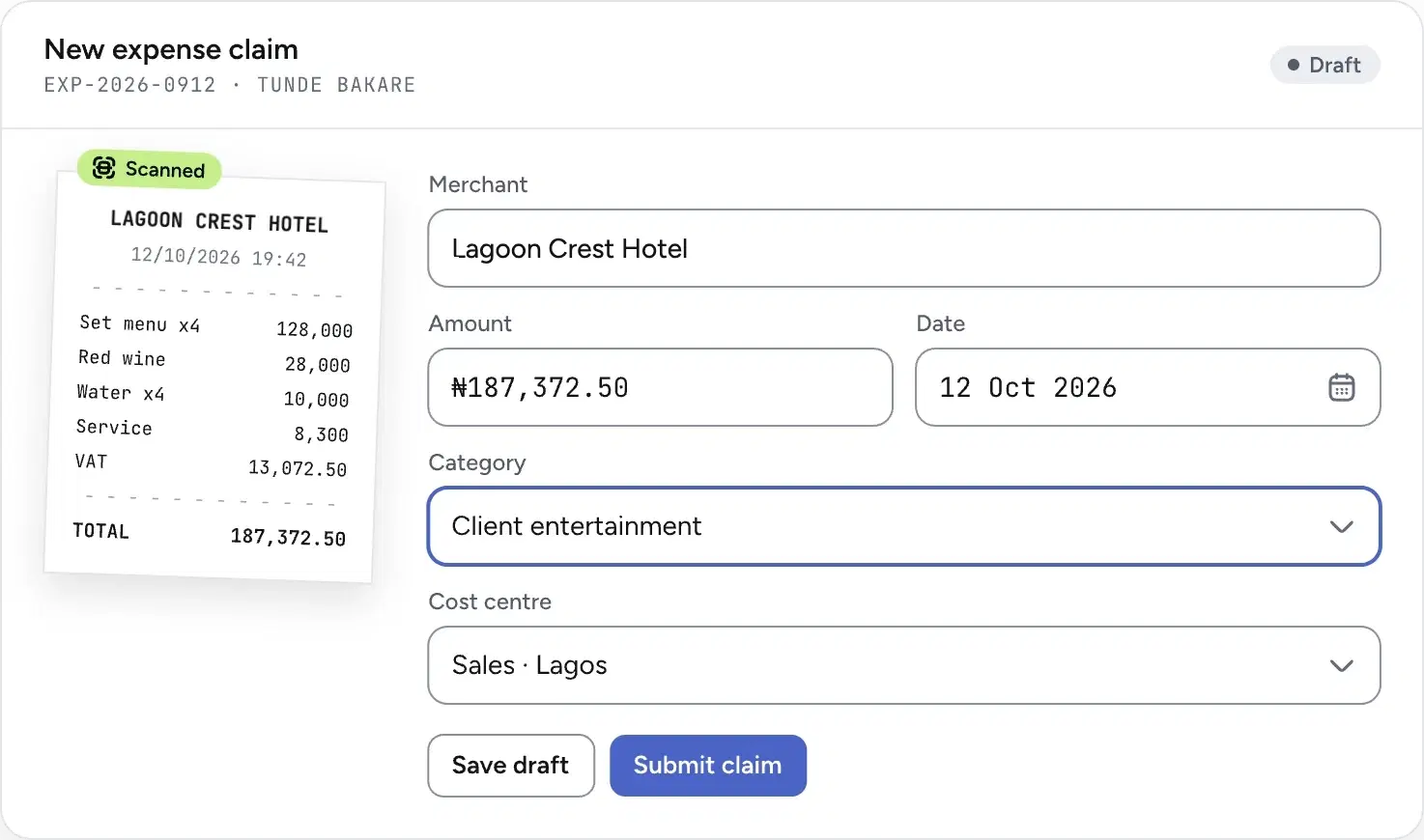
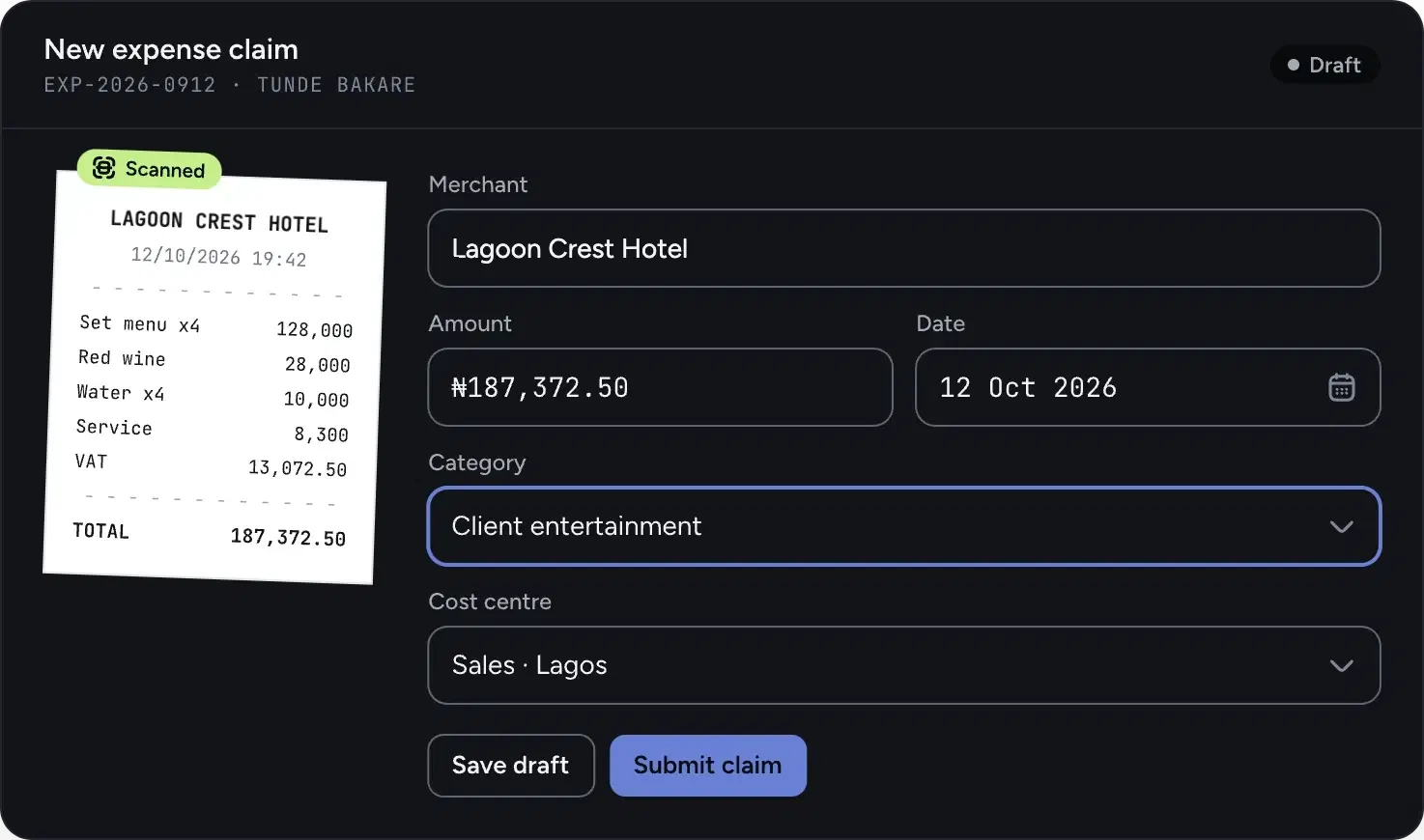
Expense submission and approval, budget tracking with variance alerts, receipt scanning and attachments, and cost analysis by department, all connected to your accounts.
Set up in under two minutes. Set your budgets and approval rules once.
Licensed, regulated and certified in Nigeria
NRS-approved e-invoicing provider
Nigeria Revenue Service
NITDA licensed
Responsible data management
NDPC compliant
Nigeria Data Protection Act 2023
The old way
Money rarely disappears. It leaks, through small approvals nobody tracked.
If any of these sound familiar, money is leaving before anyone has said yes.
01
Approvals happen in chat and cannot be found later.
Somebody approved it. Probably. On a phone, in a thread, three weeks ago.
02
You discover the budget was blown after it was blown.
The variance shows up in the month-end report, which is the one moment it is too late to act on.
03
Receipts arrive late, as photos, or not at all.
And the claim gets paid anyway, because holding it up costs more goodwill than it saves.
04
You cannot tell which department is actually costing what.
Everything lands in one pot, so nobody owns the number and nobody can be asked about it.
Why Qorpy Expenses
Control that does not slow anybody down.
Rules set once, applied every time, with the trail kept automatically.
01Approvals
Submission and approval with a trail
Claims are submitted in the system, routed to whoever should see them, and kept where you can find them afterwards.
Expense submission and approval flow
Role-based approval rules
A permanent record of who approved what
02Analytics
See exactly where the money is going
Spend breaks down by department, category and period as it happens, so you know what is driving the number instead of just seeing the total at month-end.
Spend reports by department and category
Trend and period-over-period comparisons
Exportable reports for finance and audit
03Receipts
Receipts attached to the transaction
Receipt scanning and attachments mean the evidence sits with the entry, which is what an auditor, a bank or a tax adviser will ask for.
Receipt scanning and attachments
Department-level cost analysis
Approved expenses post into your accounts
What is included
Every item below is live in Expense Management today
In the module
01
Expense submission and approval flow
Claims raised, routed and approved in one place.
02
Budget tracking with variance alerts
Know while you can still act on it.
03
Receipt scanning and attachments
Evidence stored with the entry.
04
Department-level cost analysis
A number each department can be asked about.
05
Role-based access
Approvers see what they need to approve.
Getting started
From sign-up to your first approved claim
Four steps, in order. Most teams get through all four in a single afternoon.
1
Create your account
Sign up in under two minutes and choose your industry and business size.
2
Set budgets and rules
Define departments, budgets and who approves what. Once.
3
Invite your team
Add approvers and claimants, and assign roles.
4
Approve your first claim
A claim is submitted with its receipt, approved in the system, and posted to your accounts.
Enterprise grade security
Security & compliance, built in.
Licensed, regulated, and built to the highest standards, so you can focus on running your business.
NITDA Licensed
Recognised by Nigeria's foremost digital regulator, confirming that our platform meets the required standards for responsible data management.
NRS Approved Service Provider
Vetted and approved by the Nigeria Revenue Service to power e-invoicing workflows that meet the latest tax reporting mandates.
NDPC Compliance
Every piece of data you share with us is handled under the strict provisions of the Nigeria Data Protection Act 2023. Your privacy is non-negotiable.
Licensed and Regulated
We operate under full regulatory oversight, holding the necessary permits and licences to provide compliant digital invoicing services across Nigeria.
Cybersecurity Standards
Our infrastructure is hardened against modern threats, aligned with Nigeria's national cybersecurity framework and industry best practices for data integrity.
Continuous Monitoring & Support
Round-the-clock system monitoring and a dedicated support team keep your operations uninterrupted and your compliance posture current.
Before you switch
The three things people ask before they switch
Answered here rather than on a sales call, because you should not have to book a meeting to find out whether something fits.
Can staff submit from a phone?
Expenses are submitted with receipt scanning and attachments, so a claim can be raised where the spend happened rather than back at a desk.
Who decides what gets approved?
You do. Approval routing follows the roles you set, and the record of each decision stays in the system.
Does approved spend reach the accounts?
Yes. Expenses sit on the same database as accounting, so approved claims post to the ledger without a second entry.
FAQ
Frequently asked questions
Can't find your answer? Reach out to our team and we'll get back to you within an hour.
Approval follows the roles you configure, so each claim goes to the person who should see it.
Yes. Budget tracking with variance alerts works at department level, and cost analysis reports by department.
Yes. Expense management and accounting share one database.
Yes. Receipt scanning and attachments are part of the module, and the receipt stays with the transaction.
Configure Qorpy to match it. The point is to keep the process and lose the chat thread it currently lives in.
Every approved claim carries its receipt, its approver and its date, in one searchable place, rather than across email, chat and a folder.
Get started
Take control of company spending.
Set your budgets and approval rules once, and stop finding out about overspend a month late. Or book a demo and we will configure the first department with you.