Your business bank accounts and their balances in one register, each one tied to your chart of accounts, and a connected bank that the wallet, transfers, payroll, expense payouts and billing all use.
Add your accounts one at a time, or upload up to 50 at once from a template.
Licensed, regulated and certified in Nigeria
NRS-approved e-invoicing provider
Nigeria Revenue Service
NITDA licensed
Responsible data management
NDPC compliant
Nigeria Data Protection Act 2023
The old way
Bank problems that cost a morning every week
If any of these sound familiar, your bank accounts are being managed beside the business instead of inside it.
01
Balances live in five banking apps.
Knowing what the business holds means logging in to each bank and adding it up by hand.
02
Bank accounts are not in the books.
The accounts you pay from are not linked to your chart of accounts, so every posting starts with a lookup.
03
Nobody is sure which account pays for what.
Payroll goes out from one bank, supplier payments from another, and the rule lives in someone's head.
04
Account details get typed in by hand.
One wrong digit in an account number and the mistake shows up weeks later.
Why Qorpy Bank
Your bank accounts, inside the business.
One register for every account, tied to the same ledger as your sales, payroll, expenses and assets.
01Accounts
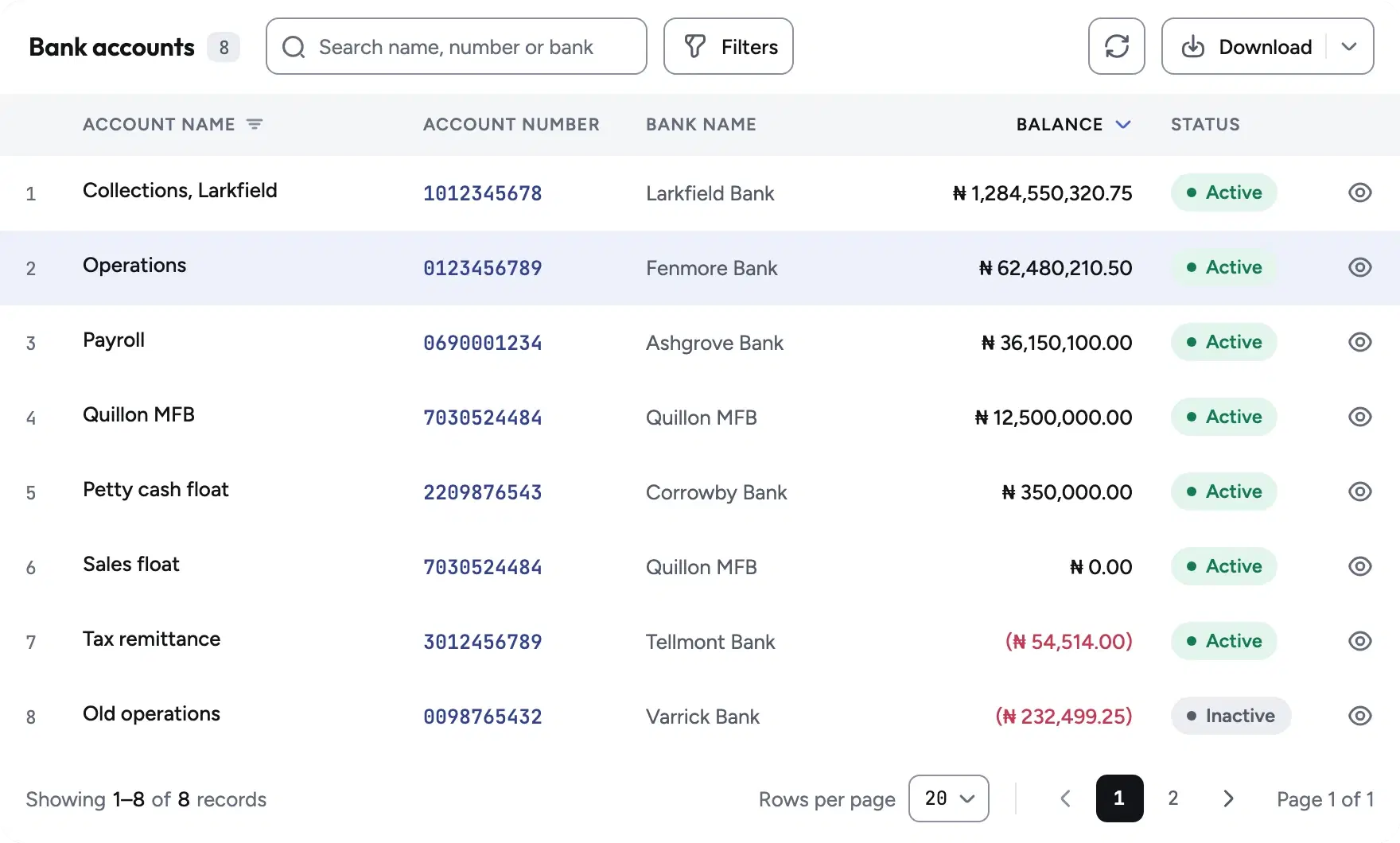
Every account and its balance in one register
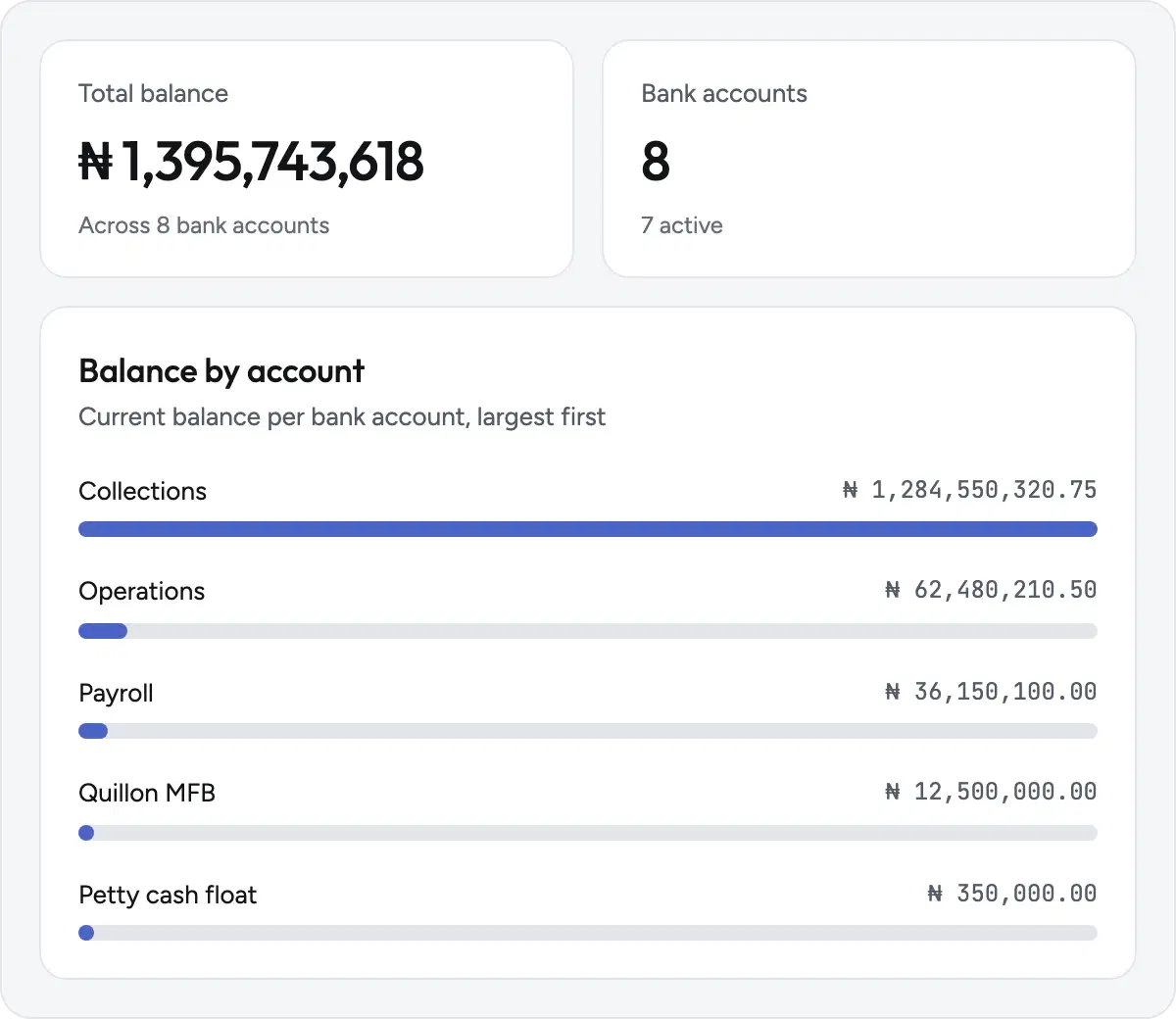
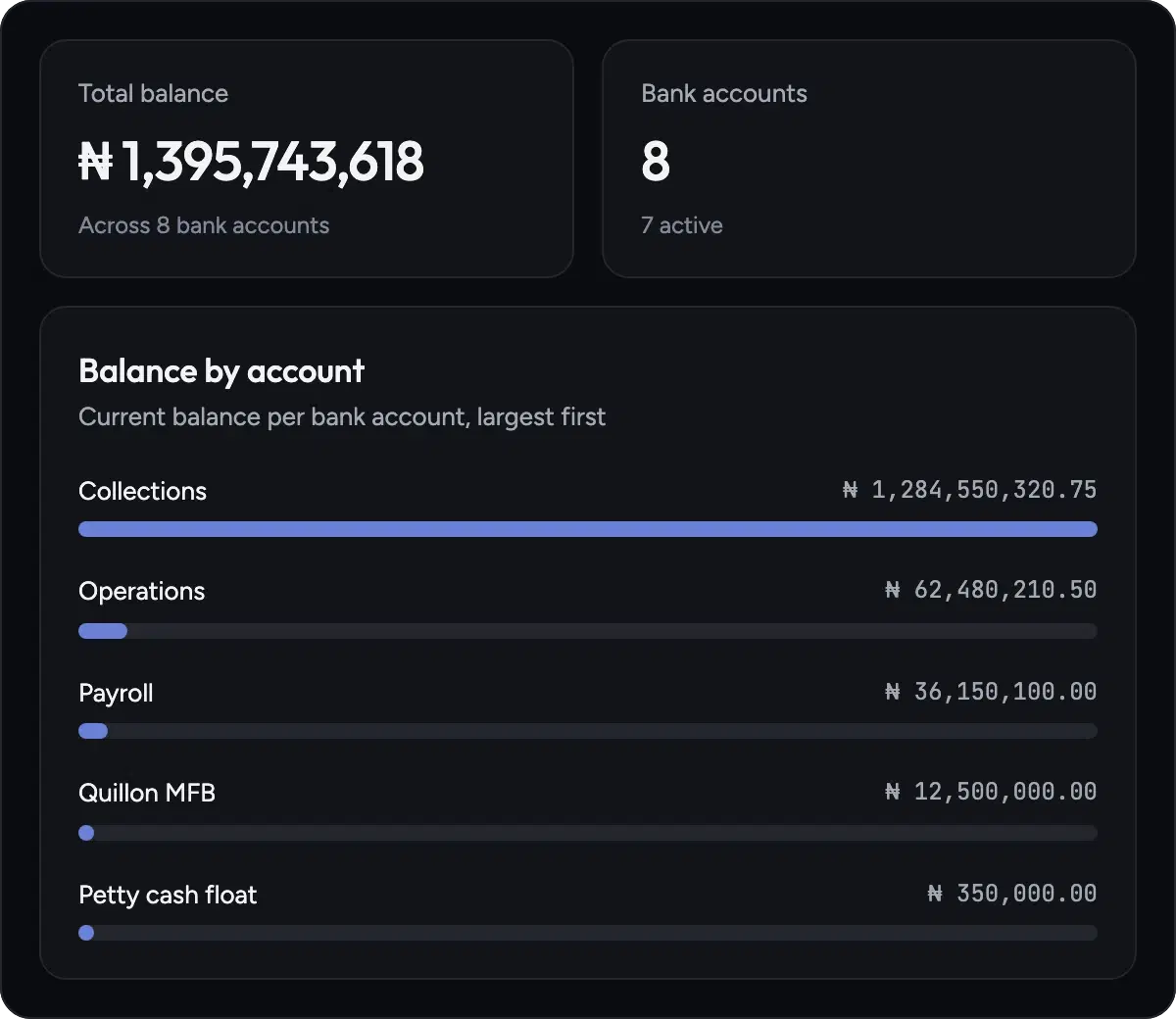
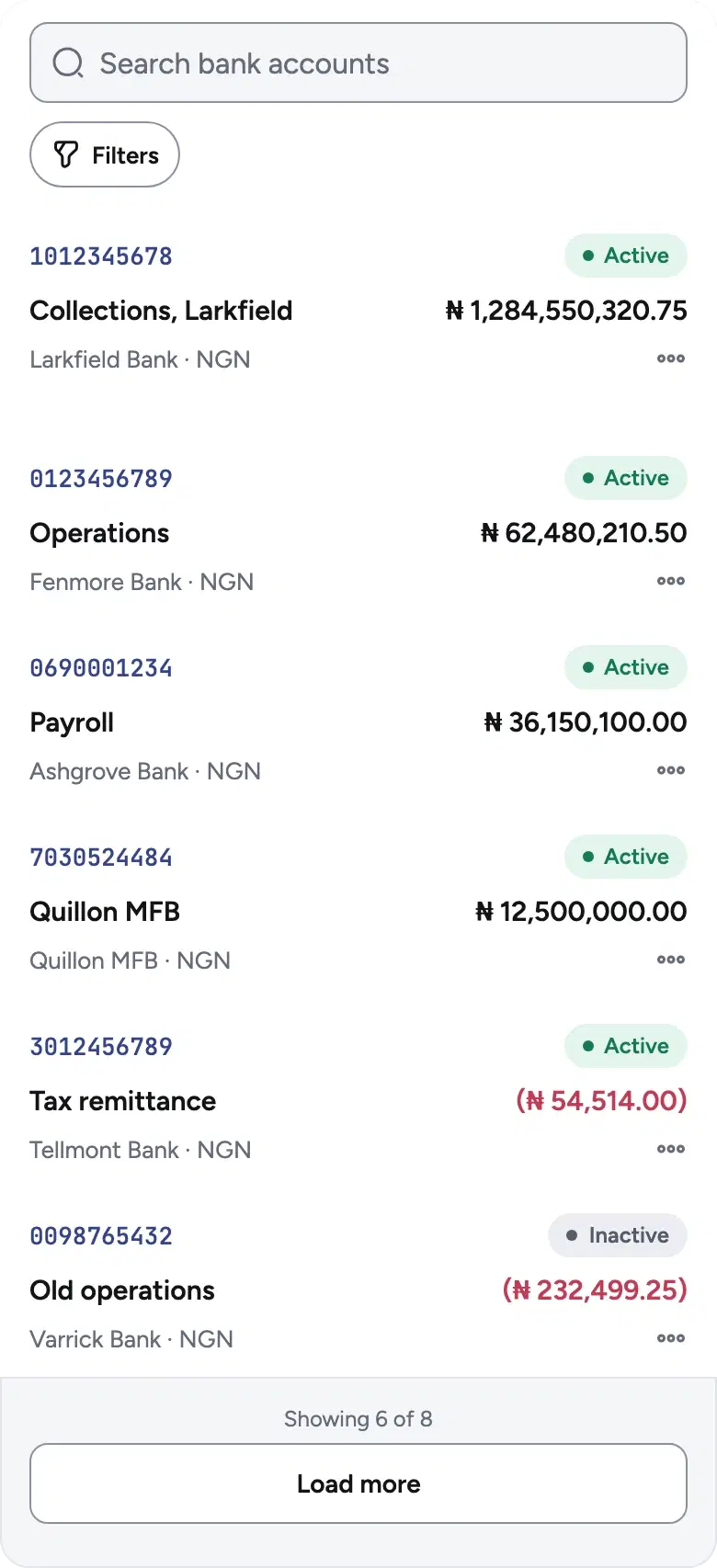
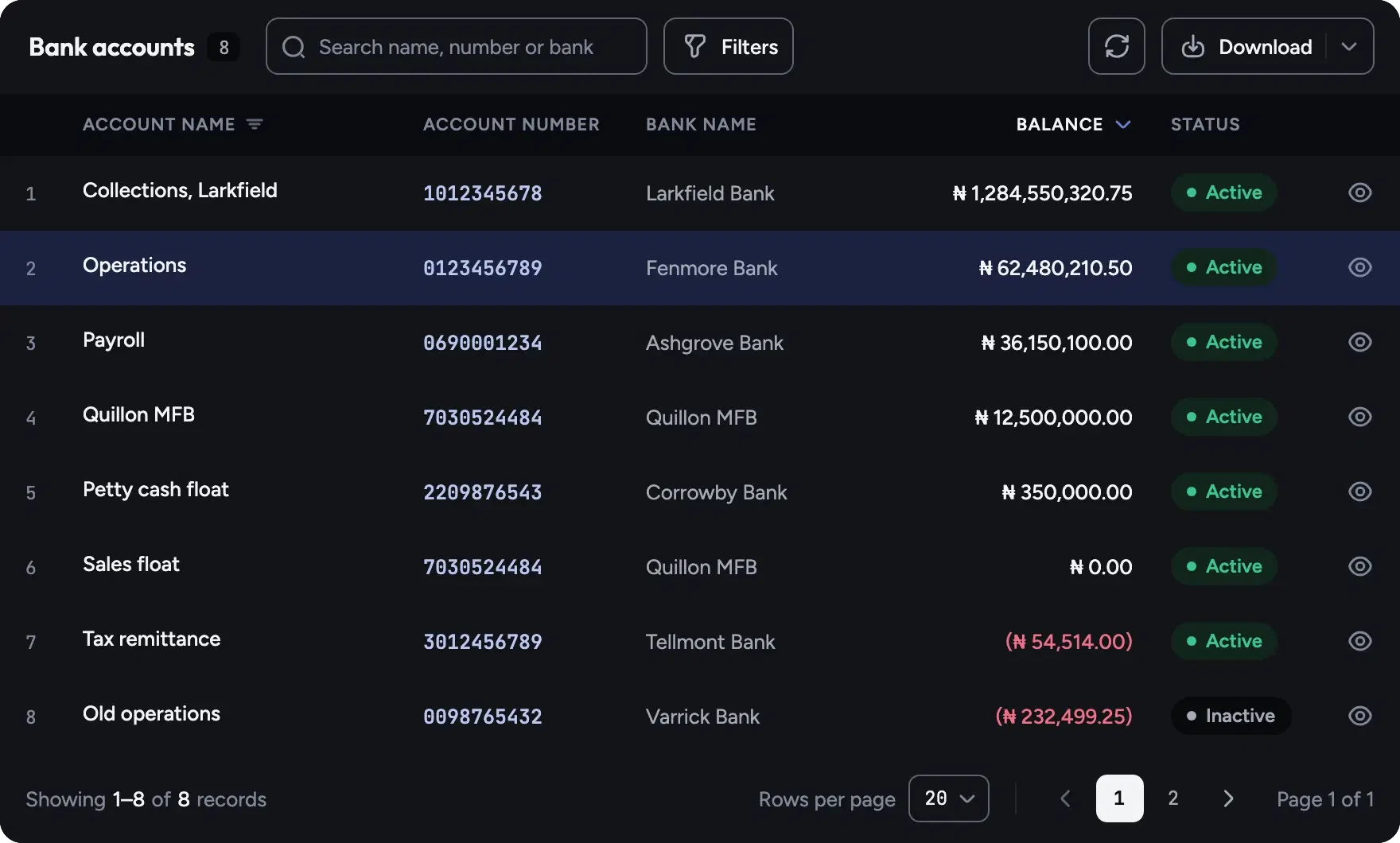
Add each business bank account once and see the full list with its bank, number, balance and status. The overview adds up the total and ranks the accounts by balance.
Total balance and balance by account
Daily transaction count for the last 30 days
Bulk upload up to 50 accounts from a template
02Ledger
Each account is tied to your chart of accounts
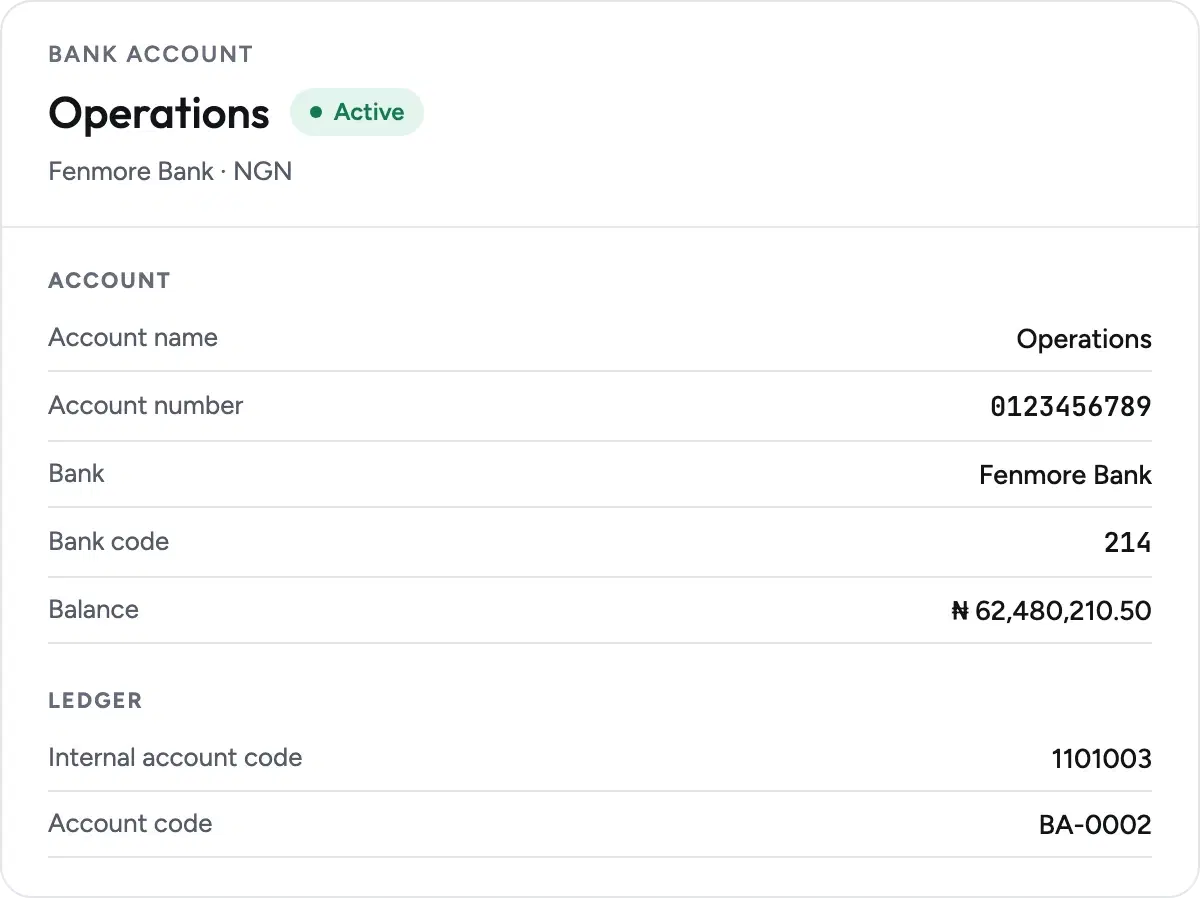
When you add an account you pick the bank and enter the number, and Qorpy looks up the account name before you save. You link it to a chart of accounts category and a GL account, so it sits in your books from day one.
Account name looked up from the bank and account number
Linked to a chart of accounts category and GL account
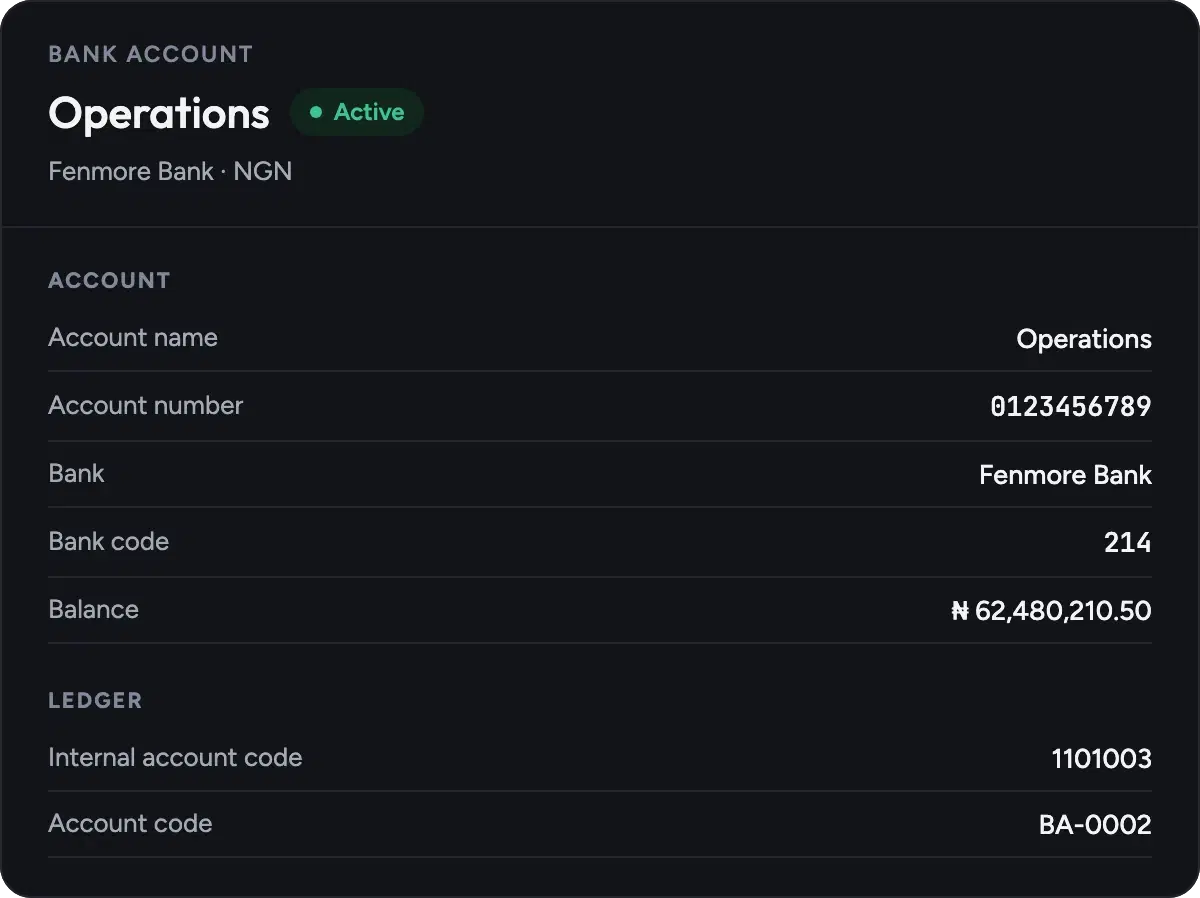
Account detail with bank code, balance and ledger codes
03Integration
Connect your bank and choose the one that moves money
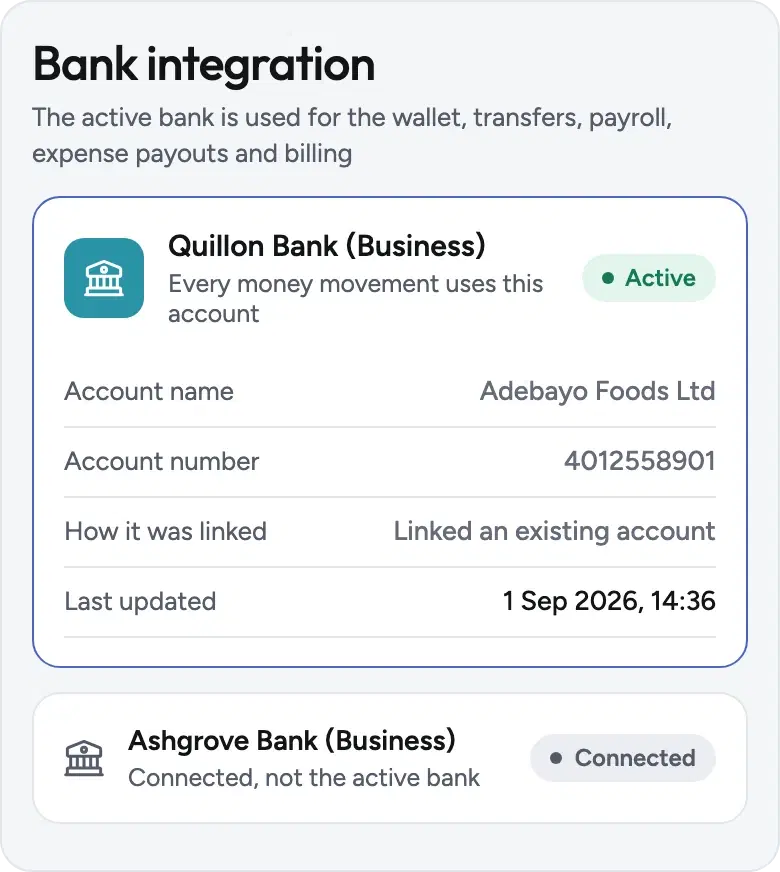
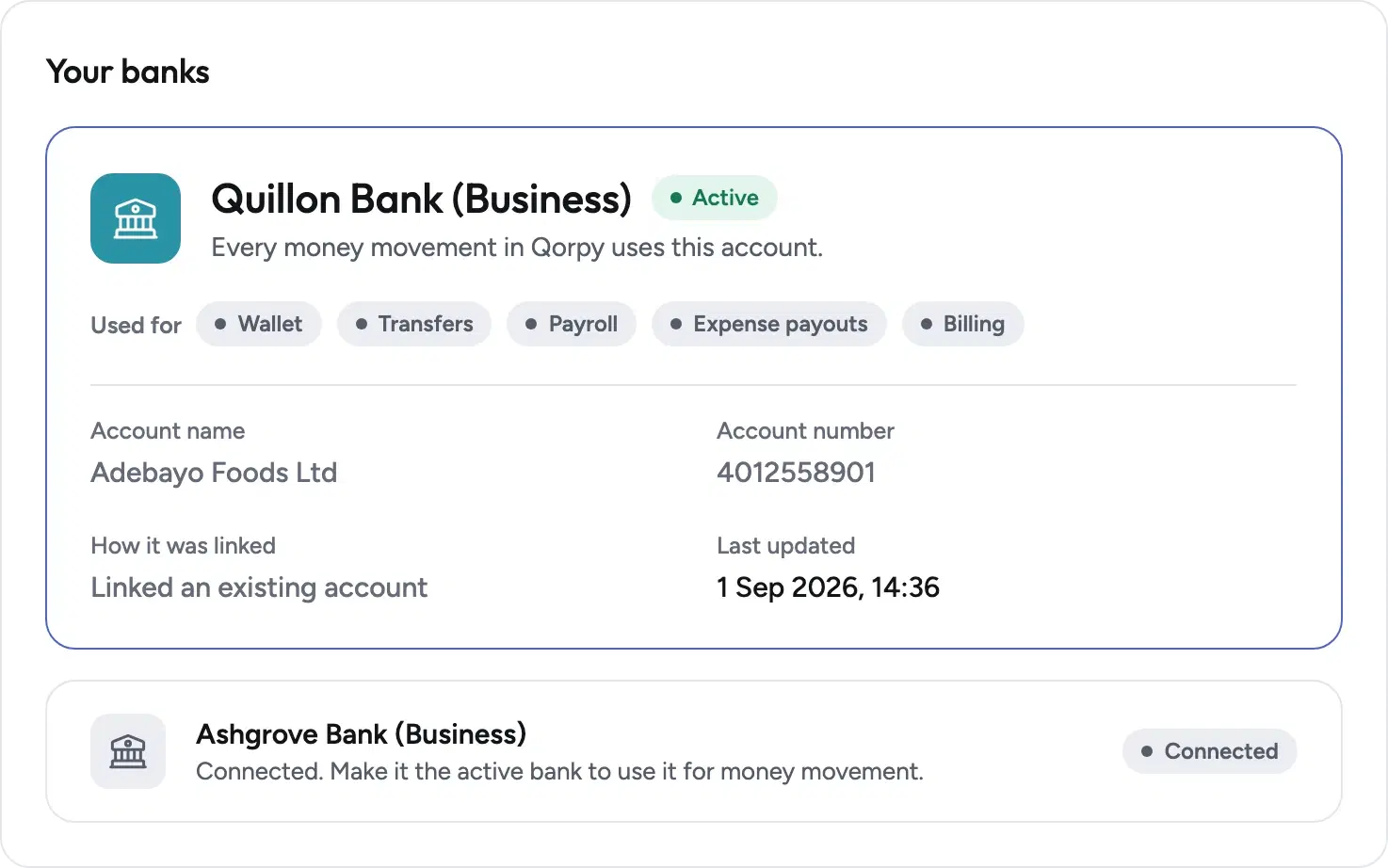
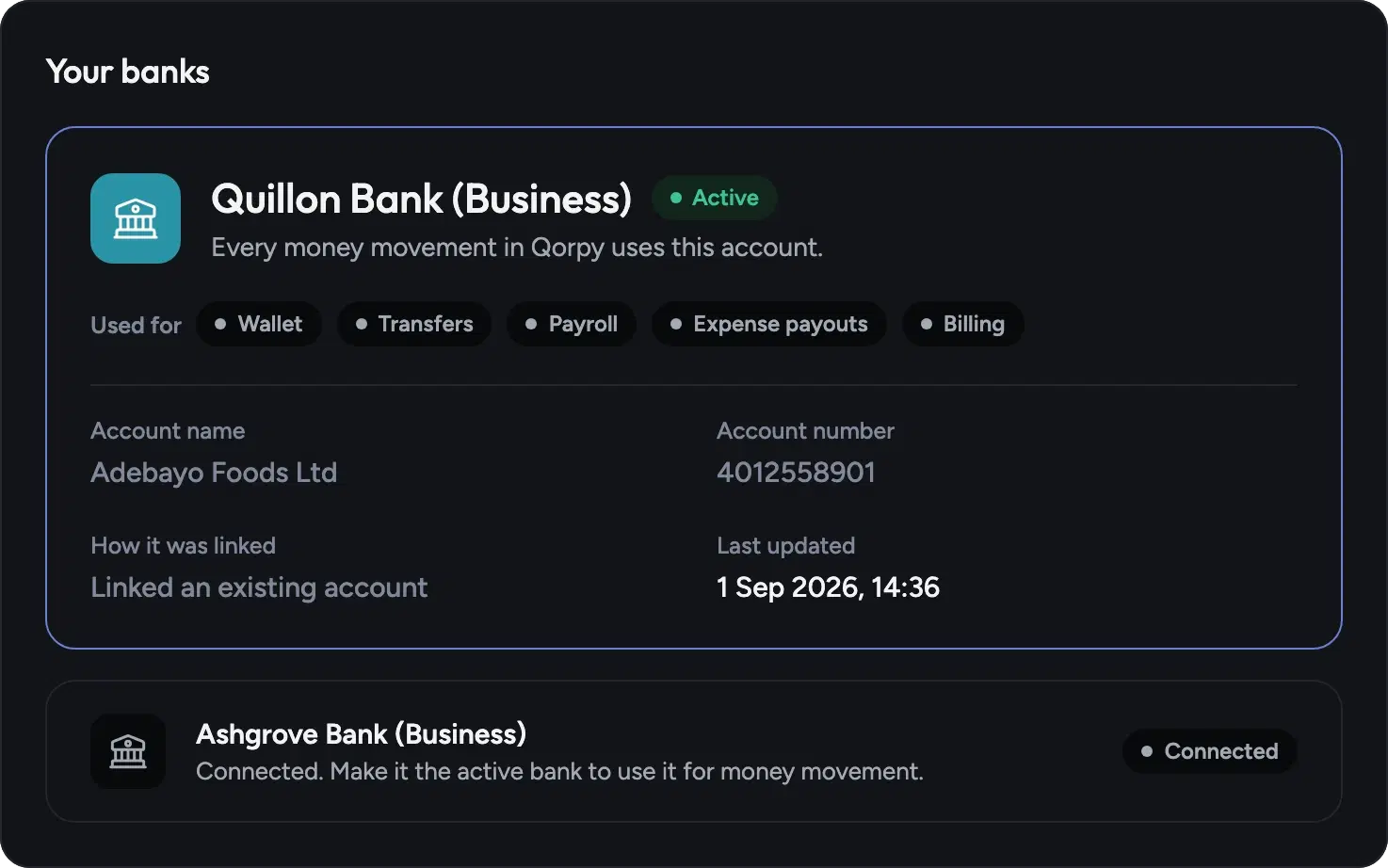
Link an account your business already holds with a supported bank, using a code sent to the account holder's email, or open a new business account with one. The active bank is the one the wallet, transfers, payroll, expense payouts and billing use.
Link an existing account, or open a new one
Connect more than one bank and pick the active one
Upload KYB documents from the same page
What is included
Every item below is live in Bank today
In the module
01
Bank overview
Total balance, number of accounts and balance by account.
02
Daily transaction volume
How many transactions went through each day for the last 30 days.
03
Bank accounts register
Every account with its bank, number, balance and status.
04
Account name lookup
The name is fetched from the bank and account number when you add one.
05
Bulk upload
Up to 50 bank accounts at once from a downloadable template.
06
Bank integration
Link an existing account or open a new one, and choose the active bank.
Getting started
From sign-up to a connected bank
Four steps, in order. Most teams get through all four in an afternoon.
1
Create your account
Sign up in under two minutes and choose your industry and business size.
2
Add your bank accounts
Add them one at a time or upload a template, and link each one to your chart of accounts.
3
Connect a bank
Link an account you already hold with a supported bank, or open a new one.
4
Choose the active bank
Pick the connected bank that the wallet, transfers, payroll, expense payouts and billing use.
Enterprise grade security
Security & compliance, built in.
Licensed, regulated, and built to the highest standards, so you can focus on running your business.
NITDA Licensed
Recognised by Nigeria's foremost digital regulator, confirming that our platform meets the required standards for responsible data management.
NRS Approved Service Provider
Vetted and approved by the Nigeria Revenue Service to power e-invoicing workflows that meet the latest tax reporting mandates.
NDPC Compliance
Every piece of data you share with us is handled under the strict provisions of the Nigeria Data Protection Act 2023. Your privacy is non-negotiable.
Licensed and Regulated
We operate under full regulatory oversight, holding the necessary permits and licences to provide compliant digital invoicing services across Nigeria.
Cybersecurity Standards
Our infrastructure is hardened against modern threats, aligned with Nigeria's national cybersecurity framework and industry best practices for data integrity.
Continuous Monitoring & Support
Round-the-clock system monitoring and a dedicated support team keep your operations uninterrupted and your compliance posture current.
Before you switch
The three things people ask before they switch
Answered here rather than on a sales call, because you should not have to book a meeting to find out whether something fits.
Who can connect a bank or change the active one?
Only people whose role includes changing the bank integration. People who can only view the page see which banks are connected, but cannot change them.
What happens to my data if we leave?
You retain all rights to the data your organisation submits, and you can export it. The terms are set out in our Terms of Service.
Is our data actually secure?
AES-256 encryption at rest, TLS in transit, role-based access and automated backups, with each organisation's data logically isolated.
FAQ
Frequently asked questions
Can't find your answer? Reach out to our team and we'll get back to you within an hour.
The banks you can connect are listed when you connect one. Each bank shows whether you can link an account you already hold, open a new account, or both.
Choose the bank and enter your business account number. A 6-digit code is sent to the account holder's email, and the link finishes once you enter it in Qorpy.
Yes, with a supported bank. Qorpy registers your business with the bank, and the connection switches on once the bank approves your KYB documents, which you upload from the same page.
Yes. One connected bank is the active one, and the wallet, transfers, payroll runs, expense payouts and billing use it. You can make another connected bank active at any time. Payments into invoice virtual accounts that were already issued still go to the bank that issued them.
Yes. Download the template, fill in up to 50 accounts with their bank and chart of accounts category, and upload it.
Each account is linked to a chart of accounts category and a GL account in Accounting, and Fixed Assets lets you choose the bank account an asset was paid from.
Get started
Put every bank account on one screen.
Add your accounts, connect your bank and choose the active one the same day. Or book a demo and we will walk through it with you.